
Upload your Excel,and collections start moving.
No integration project, no IT team. Collectify reads the receivables list your accounting software already exports, cleans it up and hands every invoice to the person who should follow it: the sales rep, the collector, the field seller.
No sign-up. The file you try never leaves your computer.
1Raw export from accounting
No ERP integration needed.
You don't have to touch your accounting system to track receivables. The Excel export you already pull every week is enough.
Files we read
- Open invoice list
- Customer aging report
- Bank statement
- Cash book
- Cheque and note portfolio
- POS report
- FX account movements
- Hand-kept Excel
Integration project
Collectify
Getting started
Weeks of analysis, development and testing
Upload your first receivables list today
Cost
Project fee, consultants and maintenance
No project; you start a subscription
Risk
Outside access to your accounting system
Never connects to your systems; reads only the file you give it
When software changes
The integration gets rewritten
Upload the new software's Excel export
Whose job
IT team and a software vendor
One person in accounting uploads the file
A receivables list weekly or as often as you like. As many payment lists a day as you need.
Feeding Collectify is a habit, not a project. Open invoices arrive on Monday, payments land all week, and the list updates with every upload.
Mon
- Open invoices.xlsx
- Bank statement.xlsx
Tue
- Bank statement.xlsx
- Cash book.xlsx
Wed
- Cheques.xls
- Cash in hand
Thu
- Bank statement.xlsx
- USD account.csv
Fri
- POS report.xlsx
- Bank statement.xlsx
- Receivables list
- Payment file
- Manual payment
Weekly or as often as you like
Open receivables
Upload the open invoice list from your accounting software. Collectify compares it with the previously uploaded list and shows what is new, what closed and what changed.
Daily
Payment files
Bank statement, cash, cheques, POS: as many files as you have. Payments are matched to customers and applied to the oldest due date. Upload the same file twice and you get a warning.
Any time
Manual payments
Enter cash in hand or a transfer whose file has not arrived yet. When the bank file comes in, the same payment is not applied twice.
A messy file goes in, a clean list comes out.
Every accounting program exports differently: headers drift, amounts turn into text, page breaks sneak in. Collectify works out the structure itself; you just confirm the result.
When it is unsure about a column it asks you, and remembers your answer. From the second week, a file from the same program uploads in one click.
Finds the header and report date
In the file
- EXAMPLE TRADING INC.
- OPEN INVOICE LIST
- Report date: 23/11/2026
In Collectify
- Header row: 5
- List date: 23 Nov 2026
Understands what each column means
In the file
- Account Name
- Balance Due
- Salesperson
In Collectify
- Customer
- Open amount
- Sales rep
Drops page breaks and totals
In the file
- Page 1 / 2
- TOTAL
- Record count: 62
In Collectify
- Not added to the list
Parses number and date formats
In the file
- 185,000.00
- 14/09/26
- 1,768.88 USD
In Collectify
- $185,000.00
- 14 Sep 2026
- $1,768.88
Merges a repeated invoice
In the file
- INV2026001212 · Sarah Young
- INV2026001212 · Chris Dale
In Collectify
- INV2026001212 · Sarah Y., Chris D.
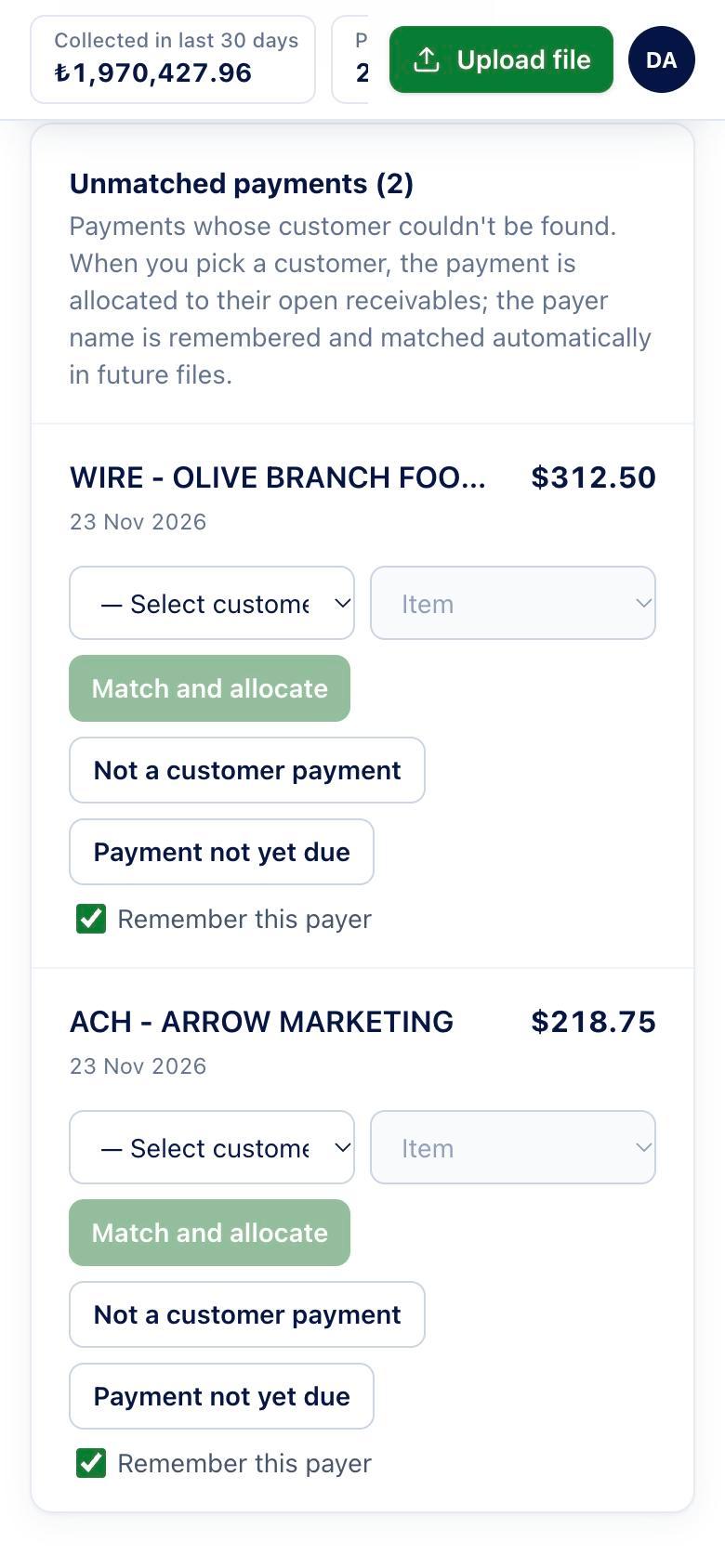
Matches the payer to the customer
In the file
- TRANSFER - OLIVE BRANCH FOODS LTD
In Collectify
- Olive Branch Foods Ltd.
A payer name you match once is remembered in later files.
Try it with your own Excel.
Drop a receivables or payments list from your accounting software. Collectify reads it, cleans it and shows the first 50 rows as a clear list.
Your file is not sent to our servers. The analysis runs on this page, in your own browser.
Make collections everyone's job, not one person's.
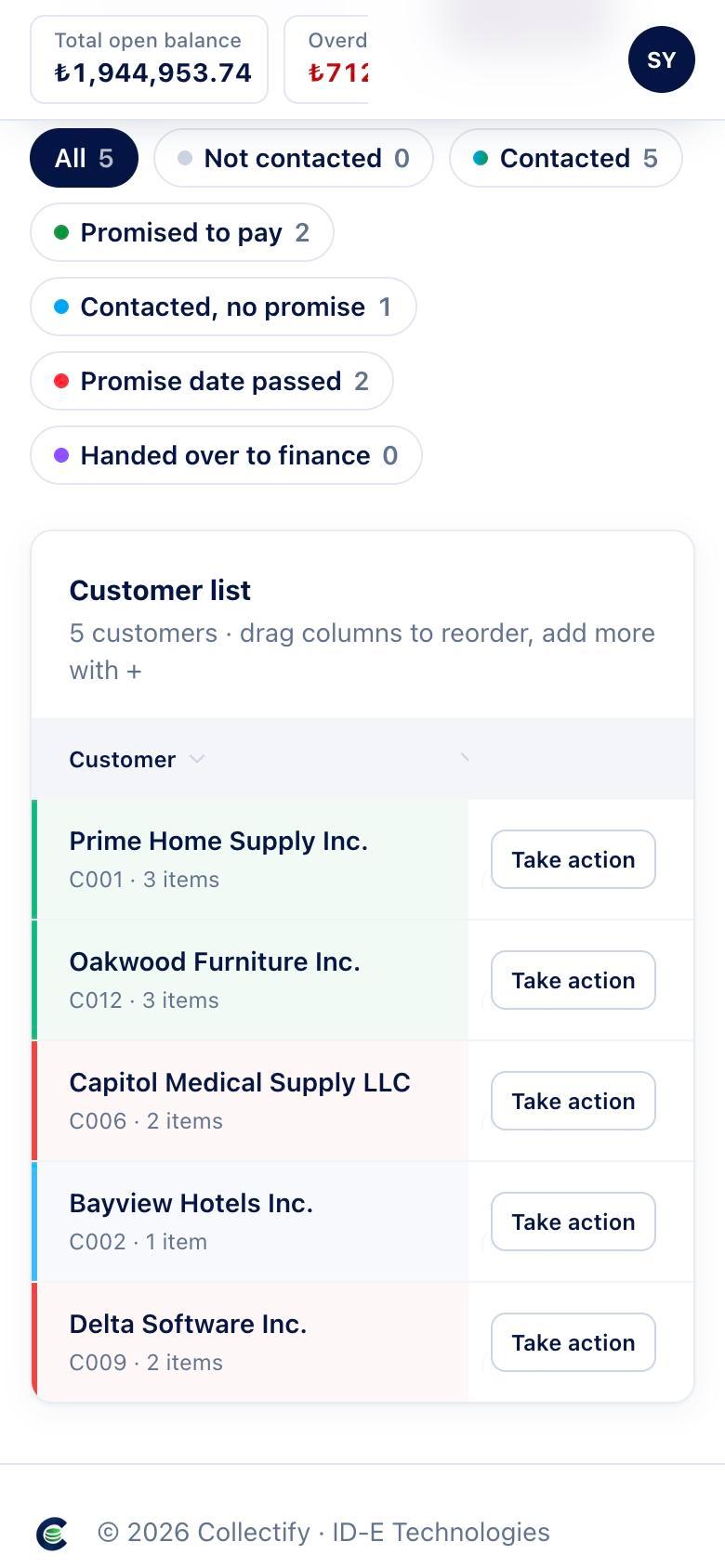
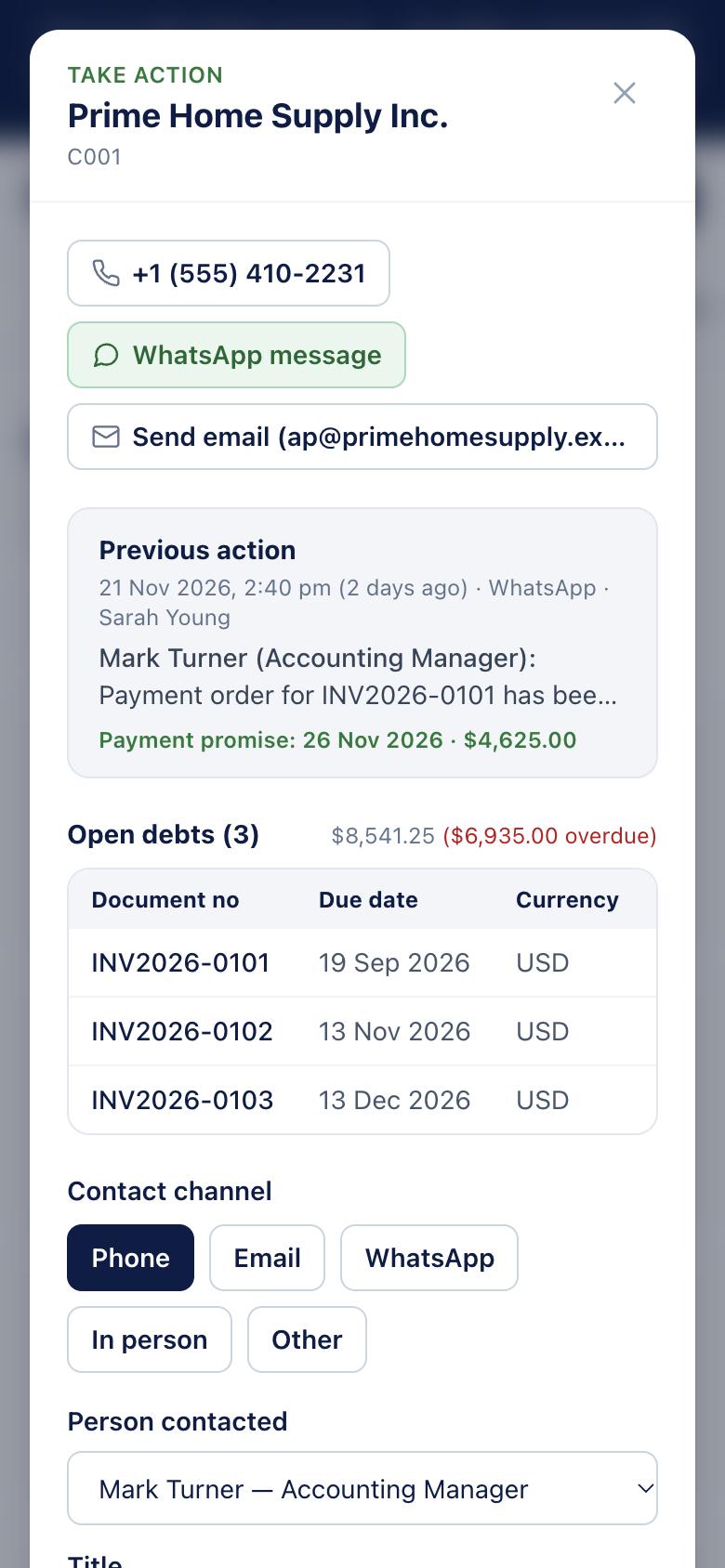
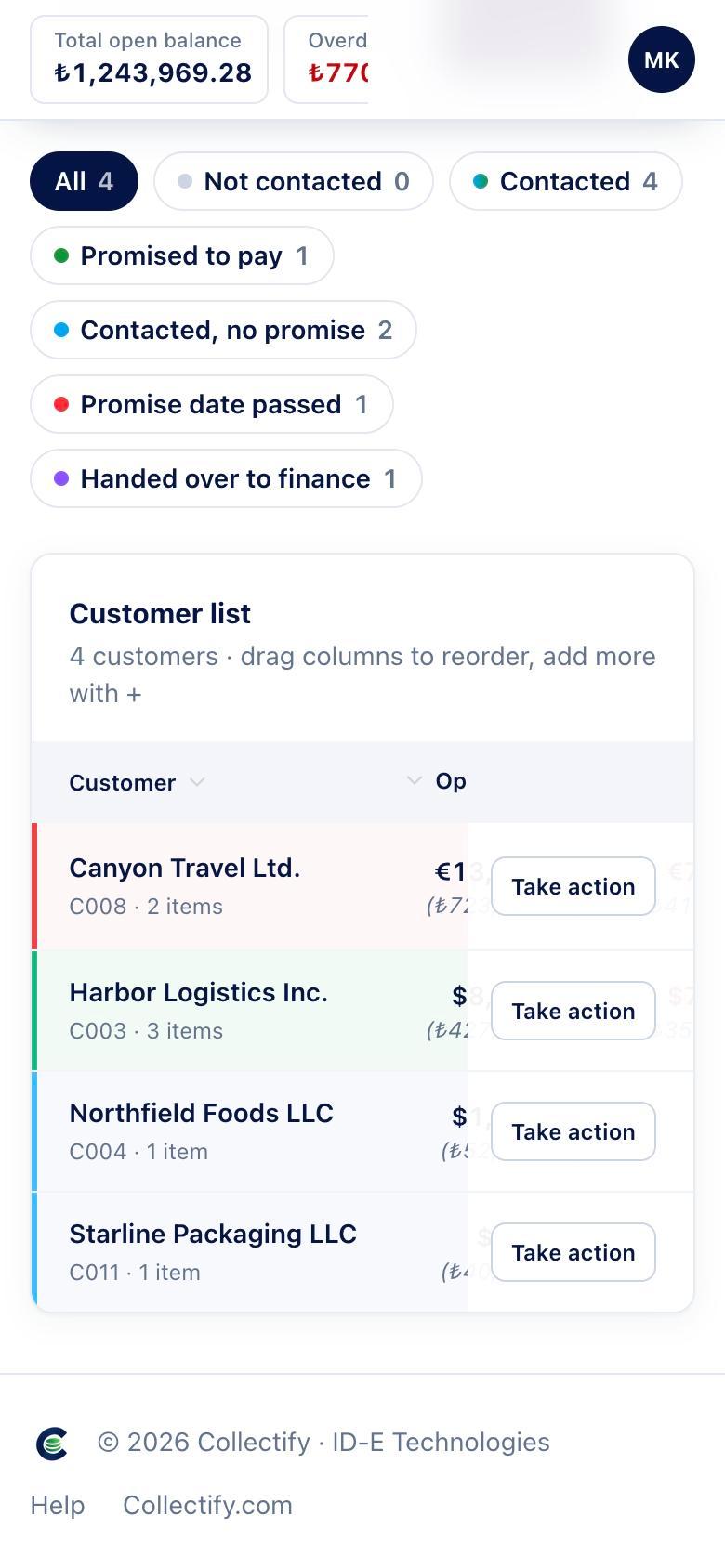
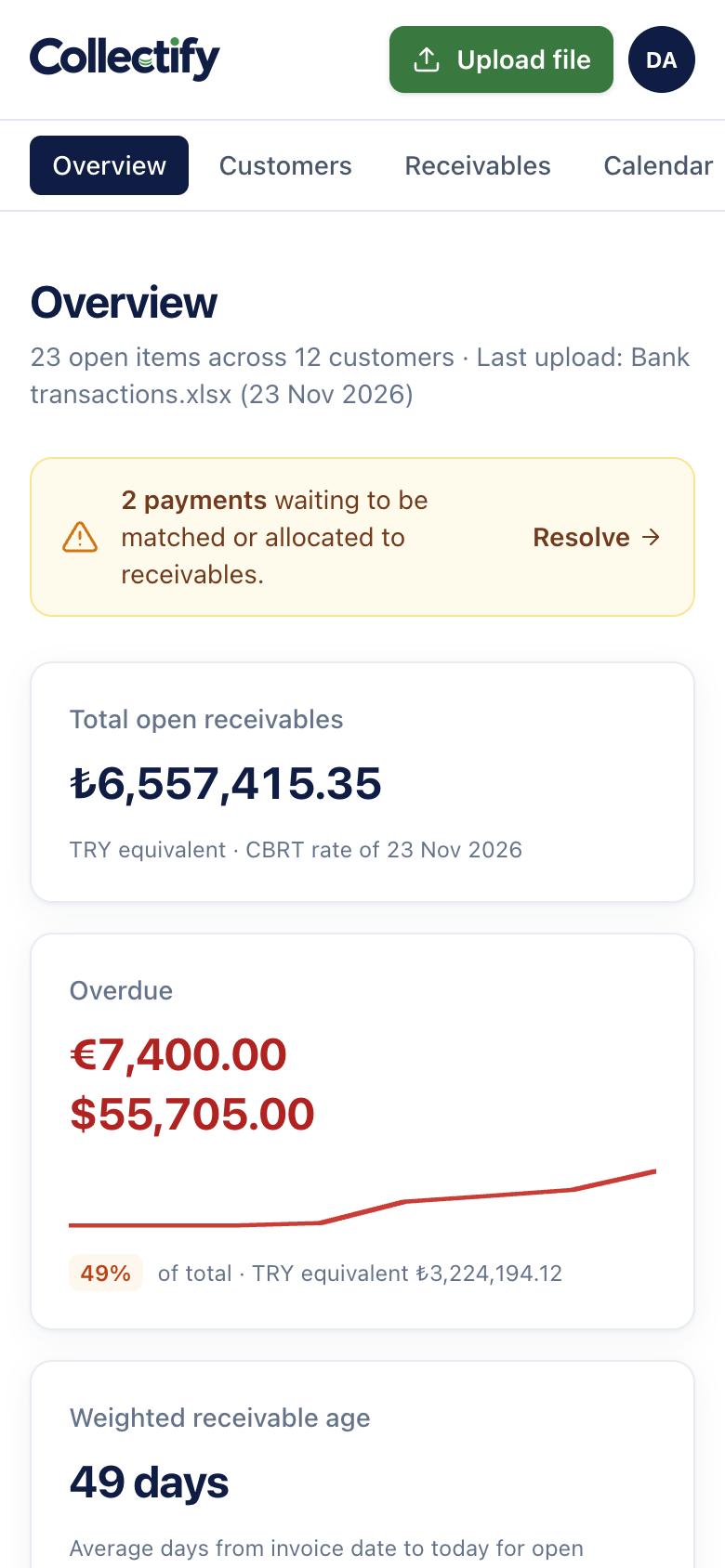
The rep who issued the invoice knows the customer best. Collectify shows each person only their own customers, so nobody gets lost in someone else's list.
Sales rep · Sarah, sales team
Knows the open balance before the visit.
- Sees only their own customers' upcoming and overdue invoices
- Logs the call and the payment promise in two taps
- Keeps the relationship instead of handing it to accounting
What changes when the team joins in?
- 01
Every late invoice has an owner.
No receivable without a rep. The list says who should call.
- 02
Promises don't get forgotten.
They surface on the due day in the calendar and the list; the payment file tells you if they were kept.
- 03
Accounting stops chasing customers.
The person who knows the customer makes the call. Accounting matches and checks.
- 04
Management sees a list, not a guess.
Overdue totals, expected cash and team performance update with every upload.
Simple, transparent pricing
Every plan includes every feature. Pick per-user pricing or a flat price for your whole company.
Try Collectify free for 7 days
Create your company, upload your receivables Excel and invite your team. Every feature is included, with no user limit during the trial.
No credit card required. When the trial ends, pick a plan to keep going — your data stays safe.
Gold
Pay only for the people who use it.
$49per user / month
Included
- Unlimited customers, invoices and uploads
- Excel import straight from your ERP
- Automatic payment matching
- Multi-currency with central bank rates (TRY, USD, EUR)
- Role-based access (Owner, Finance, Collector, Sales)
- What changed since the last list, at a glance
- Cash-in forecast by due date
- Team invitations
- Mobile-friendly design
Enterprise
Unlimited usersOne flat price for your whole company.
$399per month
Included
- Unlimited customers, invoices and uploads
- Excel import straight from your ERP
- Automatic payment matching
- Multi-currency with central bank rates (TRY, USD, EUR)
- Role-based access (Owner, Finance, Collector, Sales)
- What changed since the last list, at a glance
- Cash-in forecast by due date
- Team invitations
- Mobile-friendly design
Both plans include all features — no limits on customers, invoices or uploads.
Frequently asked
Which software's Excel do you support?
There is no required software. Collectify recognises the file from its column headers and values; .xlsx, .xls and .csv all work. It asks about any column it is unsure of and remembers the mapping.
Do you need access to our accounting system?
No. Collectify connects to no system; it reads only the files you upload. Each user sees only the customers their role allows.
Is there a setup?
No. Open an account, upload your first receivables list and invite your team with a link.
Do field sellers need an app?
No. Collectify runs in the phone browser; the seller logs the visit and the promise right there.
What if I upload the wrong file?
Collectify warns you when a file or the same payments come in twice, and a payment file uploaded by mistake can be undone in one click.
Start Monday with a list, not a spreadsheet.
Try four different roles with a sample company's data in the live demo.